Item Sales Summary Report
This report summarizes key information for items received within a specified time frame.
Note: This report does not include individual records, only a summary page.

When to Use
Run this report to see a quick overview of inventory movement.
How To Get To This Report
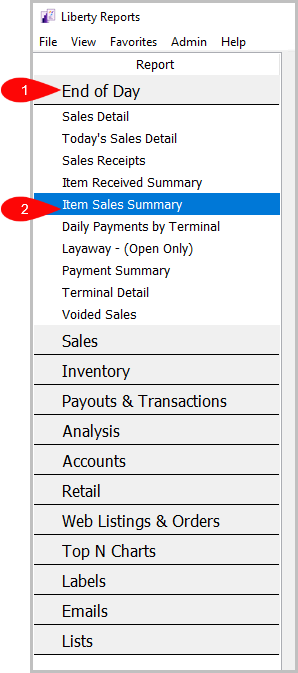
Reports > End Of Day > Item Sales Summary
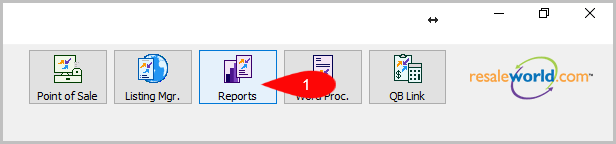
- Click on Reports
- Click on End of Day if it’s not already expanded.
Then click on Item Sales Summary.


How To Add Criteria
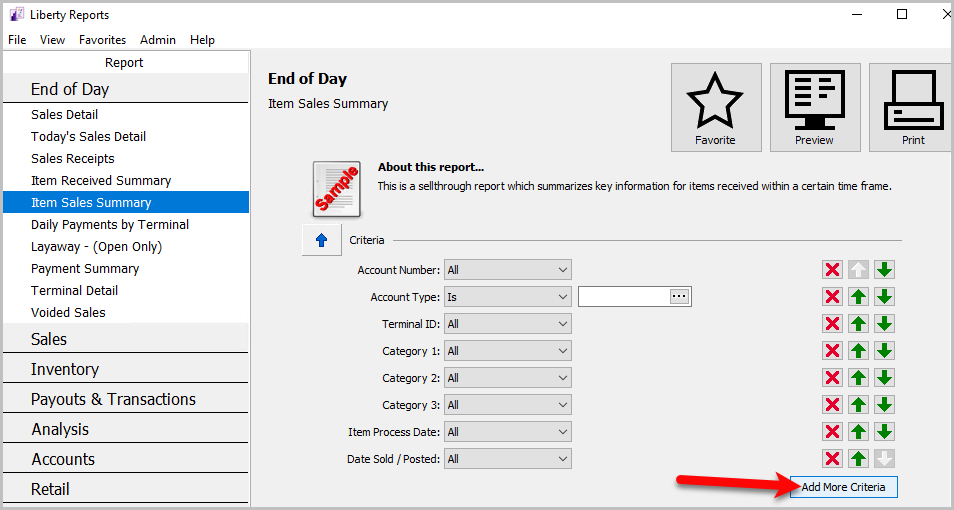
- Click on the Add More Criteria button.
- Select the criteria you want to add and then press OK.
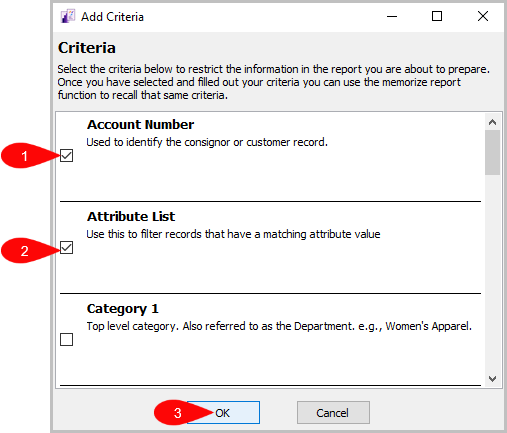


Criteria Choices
- Account Number
- Account Type
- Brand
- Category 1
- Category 2
- Category 3
- Color
- Date Sold/Posted
- Disposition Date
- Filter Code
- Item Added By
- Item Received Date
- Size
- Terminal ID
- Terminal Location
Next Article In Section
Click the following link to move to the next article in this section: Payment Summary Report
Related Topics
How to Report Items Sold at a Discount Item Sales Summary Report Selecting the Right Report Daily Payments by Terminal Report Item Received Summary Report Layaway Report (open Only) Payment Summary Report Sales Detail Report Terminal Detail Report Today’s Sales Detail Report Voided Sales Report Account Comments Report