Assign an In-Store Reward plan to a New Customer
Once the reward plan has been created, you can assign it to users when they check out.
- From the Point Of Sale select the Customer button.

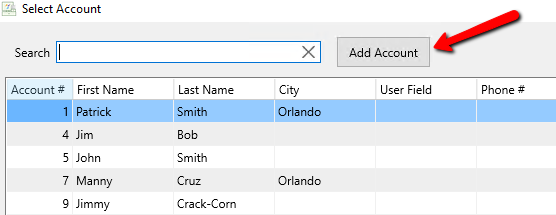
- When the Select Account screen opens, Select the Add Account button.
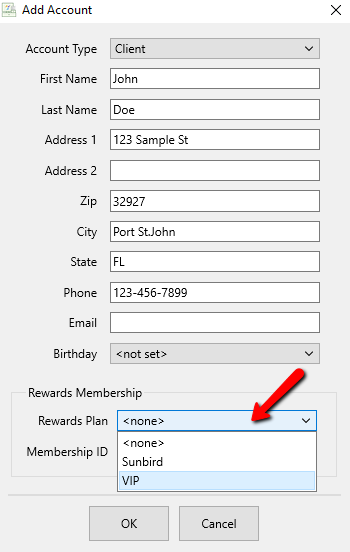
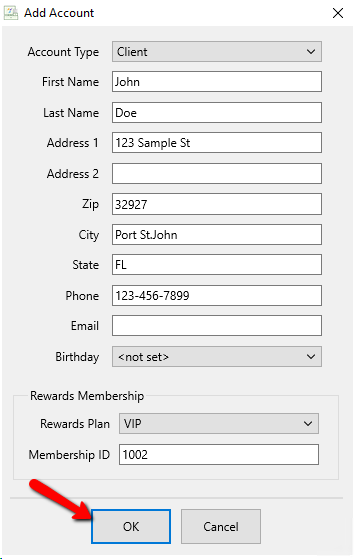
- Enter the details of the new customer. Under Rewards Membership, select the Rewards Plan dropdown and choose the rewards plan you wish to assign this customer to.
- Enter the Member ID number
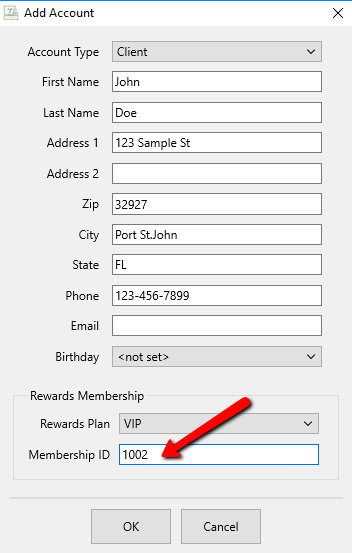
Note: The Rewards Plan numbers can start with any number. It is up to the store to come up with their own numbering system. Some suggestions might be to use the last digits of a Social Security number or the account number as the rewards number.
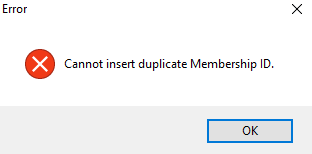
If you try to use a number that has been assigned to another account, you will get the following error.
- Click the OK button when done.


You will see a Point Counter tell you how many points the customer has once completed.

Next Article In Section
Click the following link to move to the next article in this section:
Assign an In-Store Reward Plan to an Existing Customer