
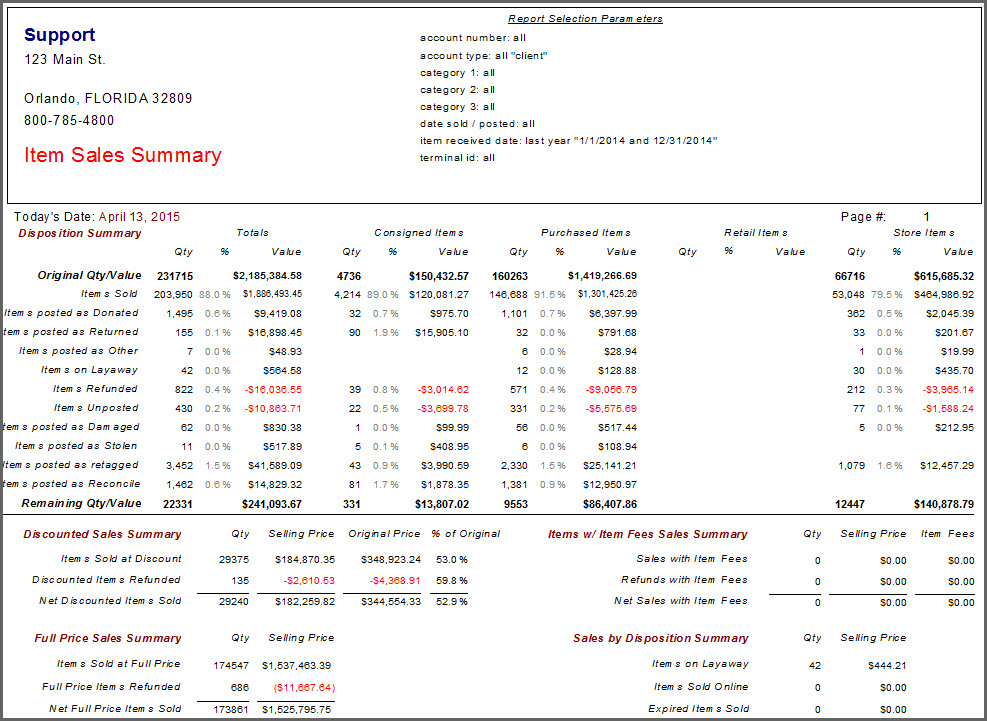
Item Sales Summary Report
This report summarizes key information for items received within a specified time frame.
Note: This report does not include individual records, only a summary page.
When to Use
Run this report to see a quick overview of inventory movement.
Criteria Choices
●Account Number
●Account Type
●Category 1
●Category 2
●Category 3
●Date Sold/Posted
●Disposition Date
●Filter Code
●Item Added By
●Item Received Date
●Terminal ID
●Terminal Location