Table of Contents
Assign Terminal IDs (Networks Only)
Terminals are a great way to differentiate sales between different locations, as well as different Points Of Sale within a location.
- Within the inventory Module, select the Change Terminal button

The Select Terminal ID dialogue box will open.
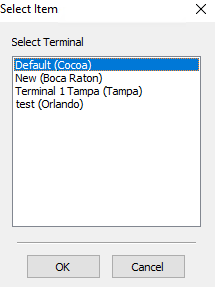
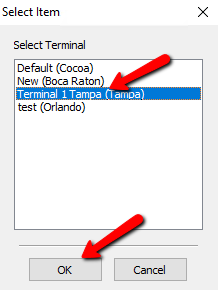
- Select the terminal you want to assign to the specific station and select the OK button at the bottom.


Next Section Navigation Link
Click the following link to see a list of articles for the next section:
Optional But Recommended Setup